Reduce Contractor Booking Cancellations: A Proven Playbook

# Reduce Contractor Booking Cancellations: A Proven Playbook
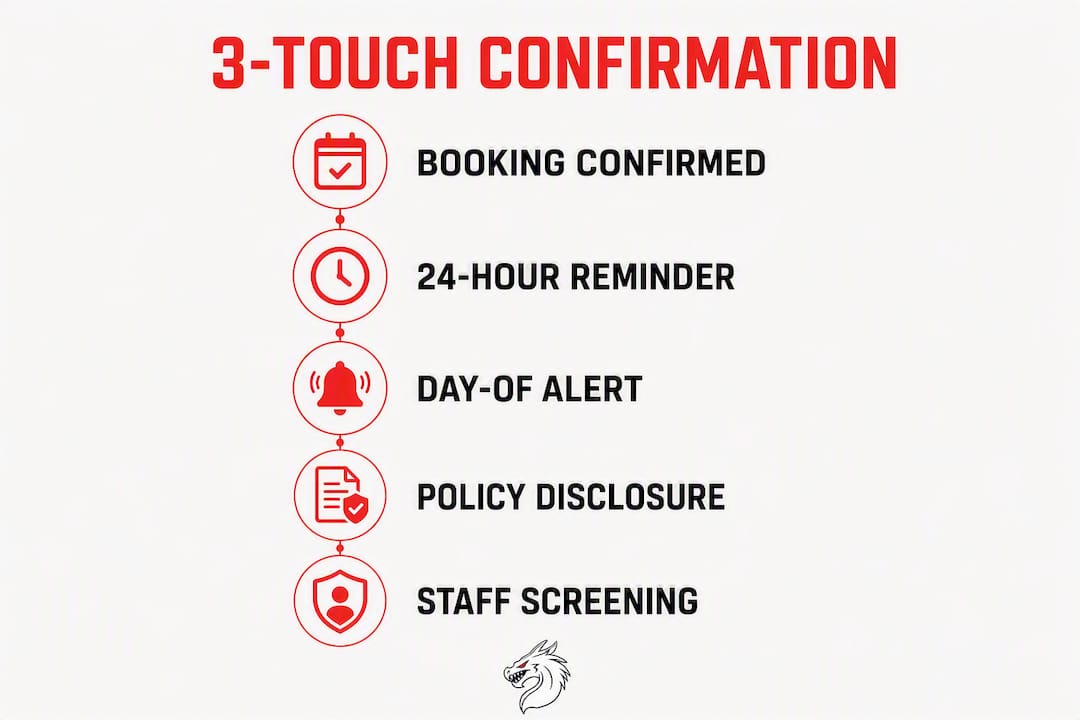
The fastest way to reduce contractor booking cancellations is a 3-touch confirmation system: send a confirmation the moment a job is booked, a reminder 24–48 hours before, and a day-of heads-up 30–60 minutes out. Add a short written cancellation policy and require a deposit for first-time or cold leads. That combination alone handles the majority of no-shows most contractors face.
NoShowCalc reports that the home-service industry experiences an average no-show rate near 18%, while top operators who implement confirmation and dispatch changes achieve rates below 6%. That gap is not luck. It's a system.
Here's your immediate action plan:
- —This week: Set up a booking confirmation text, a 24-hour reminder, and a day-of heads-up.
- —This week: Write a 6-point cancellation policy and read it at every booking call.
- —This week: Require a deposit or card-on-file for any cold ad lead or first-time customer.
- —30 days: Automate reminders through your scheduling software and connect them to dispatch.
- —60 days: Track no-show rate by lead source and tighten your intake questions.
- —90 days: Review rebook rate after cancellations and refine your recovery workflow.
Every tactic below maps to one of those phases.
*
Table of Contents
- —1. Send reminders on the right cadence with these ready-to-use templates
- —2. Which scheduling and automation features actually cut no-shows
- —3. How to write a cancellation policy that actually holds up
- —4. Use intake questions and staff scripts to screen high-risk bookings
- —5. How waitlists, smart overbooking, and auto-rebook flows recover lost revenue fast
- —6. Which metrics tell you why cancellations are really happening
- —7. What to do in the first 60 minutes after a cancellation
- —8. The 3-step confirmation system backed by research
- —Key Takeaways
- —The real reason most contractors keep losing appointments
- —Vaultio turns your confirmation system into a lead-generation machine
- —Useful sources and a note on state-level rules
1. Send reminders on the right cadence with these ready-to-use templates
The single biggest driver of no-shows is forgetfulness, not bad intent. ProTradeHQ confirms that most contractor no-shows stem from a communication breakdown, not a malicious customer. Fix the communication, and you fix most of the problem.
The 3-touch cadence:
- 1.Booking confirmation (same day): Sent immediately after scheduling. Confirms date, time, arrival window, and links to your cancellation policy.
- 2.24–48 hour reminder: Narrows the arrival window and asks for a yes/no confirmation that someone 18+ will be home. A 2023 Acuity Scheduling study cited by ProTradeHQ found a roughly 39% reduction in no-shows when reminders went out 24 hours prior.
- 3.Day-of heads-up (30–60 minutes out): Technician is on the way. Builds excitement, reduces access issues, and cuts wasted truck rolls.
Channel priority: SMS first (highest open rates), email for a paper trail, phone for high-value jobs or any customer who hasn't replied to the 24-hour reminder.
Booking confirmation SMS template: "Hi [Name], your [Service] appointment is confirmed for [Date] at [Time]. Your tech will arrive between [Window]. Reply YES to confirm someone 18+ will be home. Questions? Call [Phone]. See our cancellation policy: [Link]"
24-hour reminder SMS template: "Hi [Name], your [Service] appointment is tomorrow between [Narrowed Window]. Reply YES to confirm or call [Phone] to reschedule. We look forward to seeing you!"
Day-of heads-up SMS template: "Hi [Name], [Tech Name] is on the way and will arrive in about [X] minutes. Call [Phone] if you need anything."
Phone script for no-reply customers: "Hi, this is [Name] from [Company]. I'm calling to confirm your appointment tomorrow between [Window]. We need to confirm someone 18+ will be home so we can keep your slot. Can you confirm, or would you like to reschedule?"
Pro Tip: If a customer hasn't replied to the 24-hour SMS by 6 PM the night before, call them. If still no reply, mark the appointment as unconfirmed and sort it lower in dispatch priority. Don't roll a truck to a ghost.

*
2. Which scheduling and automation features actually cut no-shows
Not every scheduling tool reduces cancellations. The features that move the needle are specific. Before you buy or configure anything, check for these:
| Feature | Why It Matters | Priority |
|---|---|---|
| Two-way SMS confirmations | Customers reply YES/NO; you get real data before dispatch | Critical |
| Auto-reminders (timed sequences) | Removes manual follow-up; fires at booking, 24h, and day-of | Critical |
| Arrival-window narrowing | Sends updated window 24h prior; reduces missed appointments | High |
| On-the-way / ETA texting | Cuts access issues and last-minute cancellations | High |
| Card-on-file or deposit capture | Raises commitment for cold leads and high-ticket jobs | High |
| Auto-rebook links | Post-cancellation SMS with a booking link; captures fast rebookers | Medium |
| Dispatch sorting by confirmation status | Confirmed jobs get first truck; unconfirmed deferred | Medium |
For single-truck operations: Start with two-way SMS and auto-reminders. Most field service apps include both at the base tier. Configure the 3-touch sequence and connect it to your calendar.
For multi-truck operations: Add dispatch sorting by confirmation status. Top practitioners use show-up data as a dispatch tool, sending confirmed appointments first and deferring unconfirmed ones until a reply comes in. This improves route utilization noticeably.
The workflow looks like this: customer books → immediate confirmation SMS with policy link → 24-hour narrowed-window SMS requesting YES/NO → day-of ETA text → dispatch routes confirmed jobs first.
For a deeper look at which tools include these features, the appointment scheduling software guide from Vaultio breaks down the feature sets worth paying for. If you're in plumbing or HVAC, the AI tools guide for plumbers covers two-way SMS and auto-reply integrations specifically.
*
3. How to write a cancellation policy that actually holds up
A cancellation policy only works if customers hear it before they cancel. ProTradeHQ's guidance on no-show policies is direct: read the policy at booking, repeat it in the confirmation message, and enforce it consistently. Customers rarely object to fees they knew about upfront. Resistance comes from surprise.
Policy skeleton (6 points, copy and adapt):
[Your Company] Appointment Policy 1. We'll send a confirmation text immediately after booking and a reminder 24 hours before your appointment. 2. Please reply YES to confirm someone 18 or older will be home during the arrival window. 3. Cancellations or reschedules made at least 24 hours before the appointment are always free. 4. Cancellations made within 24 hours of the appointment may incur a $[X] trip fee. 5. If no one is home when our technician arrives, a $[X] trip charge applies. 6. Deposits are required for first-time appointments and jobs over $[threshold]. Deposits are refundable with 24-hour notice.
Deposit guidelines: For jobs above $500–$1,000, a deposit reduces no-show risk significantly. Industry guidance puts the common range at 10–20% of the job total, or a flat $50–$200 for smaller service calls. Card-on-file works well for recurring customers who have a track record with you.
Staff script for reading the policy at booking: "Before I lock in your appointment, I want to let you know our scheduling policy. We'll send you a confirmation text right away and a reminder the day before. If anything changes, just give us 24 hours' notice and there's no charge. Does that work for you?"
Enforcement record-keeping: Log the date and method of policy disclosure (text, email, phone) in your CRM for every booking. If a fee dispute arises, you have a paper trail.
Legal note: Cancellation fee rules and collection rights vary by state. Disclosure and written consent at booking reduce disputes; consult a qualified attorney for complex contract terms.
*
4. Use intake questions and staff scripts to screen high-risk bookings
Not every lead carries the same cancellation risk. Cold ad leads cancel at higher rates than referrals. First-time customers cancel more than repeat clients. A few intake questions at booking let you spot the risk early and respond with the right level of commitment requirement.
Intake questions that signal commitment:
- —Are you the homeowner or renter? (Renters may need landlord approval.)
- —Are you the decision-maker for this repair/service?
- —What's prompting you to book today? (Urgency signals lower cancellation risk.)
- —Have you had another contractor look at this already?
- —How did you find us? (Lead source predicts show-up rate.)
Red flags to watch for:
- —Customer found you through a cold ad and hasn't had the problem long
- —Multiple overlapping quotes being gathered simultaneously
- —Vague urgency ("sometime this week is fine")
- —Mismatch between the described problem and the job size
When you spot two or more red flags, require a deposit or card-on-file before confirming the slot. Frame it simply: "For first-time customers, we do ask for a small deposit to hold the appointment. It's fully refundable with 24-hour notice."
Pro Tip: Log the lead source for every booking. Cold ad leads get the full 3-touch cadence plus a deposit requirement. Referrals and repeat customers get the standard cadence with no deposit. Segmenting this way keeps your best customers happy while protecting your calendar from high-risk slots.

Effective client communication from the first call also reduces disputes downstream. The Brcks guide on reducing construction disputes makes the case that clear intake conversations prevent the mismatched expectations that drive last-minute cancellations.
*
5. How waitlists, smart overbooking, and auto-rebook flows recover lost revenue fast
A cancellation doesn't have to mean lost revenue. The contractors who recover fastest have a waitlist and an auto-rebook flow ready to fire the moment a slot opens.
Waitlist workflow:
- 1.At booking, ask: "Would you like to be on our priority list if an earlier slot opens up?"
- 2.Tag opt-ins in your CRM as "waitlist."
- 3.When a cancellation comes in, send a fast-fill SMS to the top 3–5 waitlist contacts immediately.
Fast-fill waitlist SMS: "Hi [Name], a [Date/Time] slot just opened up. Want it? Reply YES and it's yours. First reply gets it. [Your Company] — [Phone]"
Overbooking rules: For single-truck operations, avoid overbooking entirely. For multi-truck ops, a conservative rule is to overbook by one appointment per technician per day only when your historical no-show rate exceeds the industry average of around 18% for that day type. Never double-book a specific technician.
NoShowCalc data shows that auto-rebook flows triggered promptly after a cancellation can recover a significant portion of those slots, compared to far lower rates when follow-up is delayed to the next business day.
Auto-rebook SMS (fires within 60 minutes of cancellation): "Hi [Name], we noticed your appointment was canceled. We'd love to get you rescheduled — click here to pick a new time: [Link]. Priority slots go fast!"
Pro Tip: Tag every customer who uses the auto-rebook link as a "fast rebooker" in your CRM. These customers are high-value. They want the service and they respond to urgency. Give them priority scheduling on their next call.
For incentives: offer a small discount or priority scheduling for customers who move to an earlier slot. Reserve that offer for high-value jobs where the revenue justifies it. Don't discount every rebook.
*
6. Which metrics tell you why cancellations are really happening
Tracking the right numbers turns cancellation management from guesswork into a fixable ops problem. Most contractors track total cancellations. The ones who actually reduce them track cancellations by cause.
Metrics to monitor weekly:
- —No-show rate (total no-shows ÷ total appointments)
- —Same-day cancellation rate (cancellations within 24 hours ÷ total appointments)
- —Kept-appointment rate by lead source
- —Average ticket value for canceled jobs
- —Rebook rate after cancellation
- —Technician drive-time lost to no-shows
Lead source comparison table:
| Lead Source | Kept Appt % | Avg Ticket | Rebook Rate |
|---|---|---|---|
| Referral | Track yours | Track yours | Track yours |
| Google Organic | Track yours | Track yours | Track yours |
| Paid Ads (cold) | Track yours | Track yours | Track yours |
| Repeat Customer | Track yours | Track yours | Track yours |
Fill this table with your own data over 30 days. The pattern will tell you exactly where to tighten deposits or add intake questions. How digital marketing drives bookings explains how lead source quality directly affects kept-appointment rates.
Root-cause quick check: When a cancellation comes in, log the reason in one of four buckets:
- 1.Forgot — fix with better reminders
- 2.Schedule conflict — fix with flexible rescheduling
- 3.Price objection — fix with upfront estimates and deposit policy
- 4.Problem resolved / access issue — fix with intake questions
Quick cancellation survey (send within 2 hours of cancellation): "Hi [Name], sorry we missed you. Can you tell us why you canceled? 1) Forgot / scheduling conflict 2) Found another provider 3) Problem resolved 4) Other. Reply with the number. Thanks!"
Two questions, one minute, and you have data to act on.
*
7. What to do in the first 60 minutes after a cancellation
Speed is everything in cancellation recovery. The window to recover a slot closes fast.
0–15 minutes:
- —Fire the auto-rebook SMS to the canceling customer immediately.
- —Send the fast-fill SMS to your top 3 waitlist contacts.
- —Notify dispatch so the technician's route can be adjusted before they leave.
15–60 minutes:
- —Call the canceling customer if they haven't responded to the SMS. Ask directly: "Is there a time this week that works better for you?"
- —If a deposit was collected and the cancellation is within the policy window, document the decision to retain or refund it. Log the reason.
- —Tag the lead in your CRM: "canceled," lead source, reason, and whether they rebooked.
Recovery call script: "Hi [Name], I saw your appointment was canceled. I wanted to reach out personally — we have a few openings this week and I'd love to get you taken care of. Would [Day] or [Day] work better for you?"
Pro Tip: The person who calls the canceling customer should have authority to offer a small incentive — a priority slot or a minor discount on a future visit. Don't make them escalate to a manager for a $20 decision. Speed and authority together close the rebook.
Escalation ladder:
- —Waive the trip fee: for long-term customers, first-time cancellations, or documented emergencies.
- —Apply the trip fee: for repeat cancellations, same-day no-shows with no contact, or cold leads who ignored reminders.
- —Final discretion: the business owner or ops manager, not the technician.
Recovery email template (send within 2 hours): Subject: We'd love to reschedule your [Service] appointment Hi [Name], we're sorry we missed you today. Your appointment slot is now open, but we'd love to get you back on the calendar. Click here to pick a new time: [Link]. If you have questions, call us at [Phone]. We look forward to serving you.
*
8. The 3-step confirmation system backed by research
The evidence for a structured confirmation system is consistent across field scheduling research. ProTradeHQ's operations team identifies the 3-touch confirmation workflow as the core fix for most contractor no-show problems. NoShowCalc shows that top operators who implement it run no-show rates below 6%, compared to an industry average near 18%.
The 3-step system:
- 1.Booking confirmation: Fires immediately. Confirms all job details, links to the cancellation policy, and requests a YES reply.
- 2.24-hour reminder: Narrows the arrival window, re-requests confirmation, and flags unconfirmed appointments for a phone call.
- 3.Day-of heads-up: Technician is en route. Reduces access issues and last-minute cancellations.
30/60/90-day implementation checklist:
30 days (foundation):
- —Set up booking confirmation text in your scheduling software
- —Write your 6-point cancellation policy and add it to your confirmation message
- —Require deposits for cold leads and jobs over $500
- —Train staff to read the policy at every booking call
60 days (automation):
- —Automate the 24-hour reminder with arrival-window narrowing
- —Set up dispatch sorting: confirmed appointments dispatched first
- —Build your waitlist opt-in question into the booking flow
- —Launch the auto-rebook SMS for cancellations
90 days (optimization):
- —Review no-show rate by lead source
- —Adjust deposit thresholds based on data
- —Refine intake questions based on cancellation root-cause logs
- —Measure rebook rate after cancellation and set a target
Pro Tip: Pair your confirmation system with AI lead scoring to prioritize high-likelihood show-up bookings at the dispatch level. The system gets smarter the more data it has.
Multiple reminder channels combined with visible policy disclosure reduce disputes because customers received the policy in at least two places before any fee is enforced.
*
Key Takeaways
The most effective way to reduce contractor booking cancellations is a 3-touch confirmation system paired with a short written policy, deposits for high-risk leads, and an auto-rebook flow that fires promptly after any cancellation.
| Point | Details |
|---|---|
| 3-touch confirmation cadence | Send a booking confirmation, 24-hour reminder, and day-of heads-up to cut no-shows. |
| Deposits for cold leads | Require a 10–20% deposit or card-on-file for first-time and cold ad leads to raise commitment. |
| Dispatch by confirmation status | Route confirmed appointments first; defer unconfirmed ones to improve route utilization. |
| Auto-rebook within 60 minutes | Trigger a rebook SMS immediately after a cancellation to recover 50–60% of lost slots. |
| Vaultio booking automation | Vaultio's AI lead response and booking automation handle confirmation sequences and rebook flows done-for-you. |
*
The real reason most contractors keep losing appointments
Most contractors treat cancellations as a customer problem. They're not. They're a systems problem.
When a customer cancels, the usual reaction is frustration. But frustration doesn't fix the calendar. What fixes the calendar is asking: did this customer receive a confirmation? Did they reply? Did someone call when they didn't? Was there a deposit on the line? If the answer to most of those is no, the cancellation was predictable.
The contractors who run below 6% no-show rates aren't doing anything magical. They've built a system that makes showing up the path of least resistance. The confirmation arrives before the customer forgets. The policy is clear before the fee is charged. The deposit is collected before the truck rolls. And when a cancellation happens anyway, the rebook flow fires before the slot goes cold.
What I'd push back on is the idea that stricter policies are the answer. They're not. Strict policies applied inconsistently create more disputes than they prevent. The real lever is consistent disclosure at booking. Customers who know the rules upfront almost never fight the fee. The ones who fight it are almost always the ones who were never told.
The other thing most guides miss: lead quality is a cancellation variable. A cold ad lead who found you on a banner ad at 11 PM has a fundamentally different commitment level than a referral from a neighbor. Treating them identically in your confirmation system is a mistake. Segment your cadence, require deposits from the cold leads, and you'll see your kept-appointment rate climb without alienating your best customers.
*
Vaultio turns your confirmation system into a lead-generation machine
Fixing your confirmation system stops the bleeding. But the contractors who dominate their markets go further: they attract better leads in the first place, so fewer bookings are at risk.

Vaultio's done-for-you system combines AI-powered lead response, automated booking confirmation sequences, and local SEO that puts your business in front of buyers who are ready to commit, not just browsing. When a lead comes in, Vaultio's AI engages within seconds, captures the booking, and fires the confirmation cadence automatically. No manual follow-up. No missed inquiries. No cold leads slipping through.
The result is a steadier calendar with higher-quality bookings and fewer cancellations from the start. Backed by a 30-day money-back guarantee, Vaultio is built for home-service contractors who are ready to own their market. See how it works at Vaultio.co and get your free audit today.
*
Useful sources and a note on state-level rules
The tactics in this guide draw from the following sources:
- —How to Reduce No-Shows as a Contractor | ProTradeHQ
- —Contractor No-Show Policy: What to Include and How to Enforce It | ProTradeHQ
- —Reduce No-Shows for Contractors & Plumbers | NoShowCalc
- —Cancellation Fees: How Much to Charge + Policy Examples | InvoiceOwl
- —Reduce No-Show Appointments: 9 Proven Tips | Auditdata
- —Handling Reservation Cancellations | Booking.com for Partners
State-level legal note: Cancellation fee enforcement, deposit rules, and collection rights vary by state. The policy language in this guide is a starting point, not legal advice. Consult a licensed attorney in your state before enforcing fees or retaining deposits in disputed situations.
Recommended
Ready to Implement This?
Your new site live within 8 days. No contracts. If your organic traffic doesn't grow within 90 days, we refund you in full.