Appointment Scheduling Software for Contractors: 2026 Guide

# Appointment Scheduling Software for Contractors: 2026 Guide
Appointment scheduling software is a digital system that automates how contractors and service professionals book, manage, and track client appointments. Instead of trading phone calls and texts to confirm jobs, you set your availability rules once and let clients book themselves. Online booking can grow your clientele by up to 26% by removing timing barriers and making your business reachable around the clock. The industry term for this category is "appointment management software," and it covers everything from solo plumbers to multi-crew HVAC companies. If you want more booked jobs with less back-and-forth, this is where you start.
What is appointment scheduling software and how does it work?
Appointment scheduling software works through a four-step automated workflow that replaces manual coordination entirely. Understanding each step helps you configure the system correctly from day one.
- 1.Business rules input. You define your working hours, service durations, staff availability, and any blackout dates. The software uses these rules as the foundation for every booking decision it makes.
- 2.Booking initiation. A client visits your website, clicks a booking button, and selects an available time slot. The booking workflow handles this without any action from you.
- 3.Conflict detection. The system checks the requested slot against your calendar, staff schedules, and equipment availability in real time. If a conflict exists, the client sees only open slots.
- 4.Synchronization and notifications. Once confirmed, the appointment syncs to your calendar (Google Calendar, Outlook, or iCal) and triggers automated confirmation emails and reminders to both you and the client.
The real power is not the calendar view. Conflict detection algorithms verify availability against multiple constraints simultaneously, which is something no manual process can do reliably at scale. A plumber with three crews, for example, needs the system to check technician availability, van location, and equipment inventory before confirming a slot.
Pro Tip: Test your conflict detection before going live. Book two overlapping appointments manually and confirm the system blocks the second one. If it does not, your configuration has a gap that will cause real problems.
What are the main features and delivery models of scheduling software?
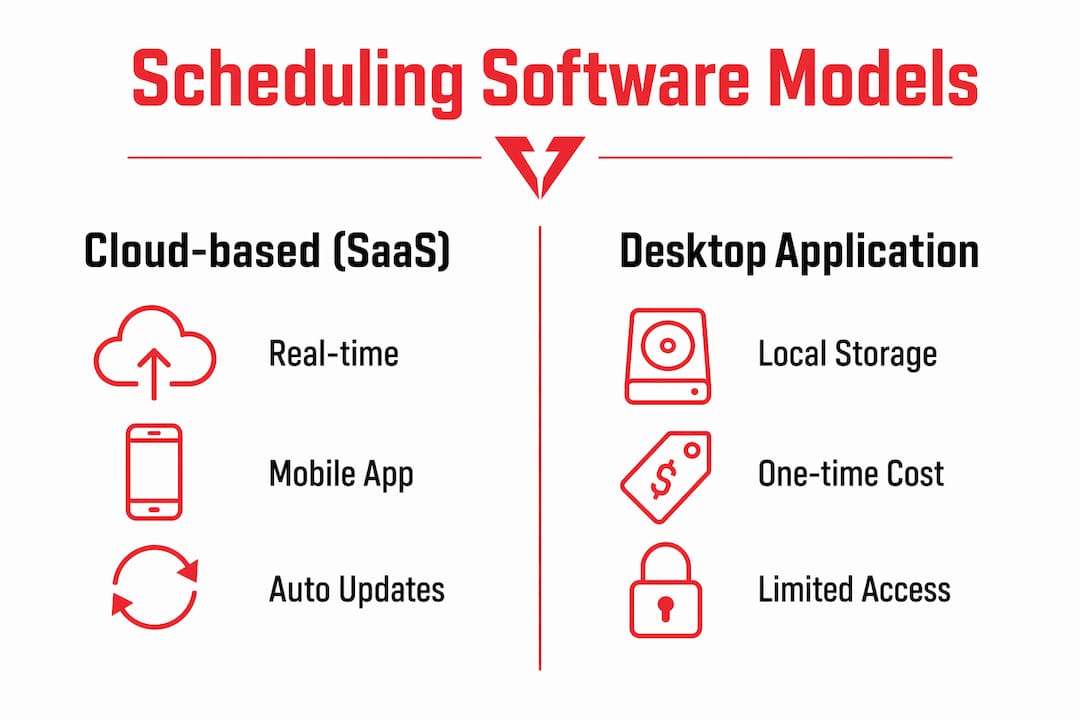
Appointment management solutions come in two primary delivery models: cloud-based (SaaS) and desktop applications. Cloud-based systems are the clear choice for contractors because they provide real-time remote access, automatic updates, and client self-service from any device.
Here is how the two models compare across the features that matter most to service professionals:
| Feature | Cloud-based (SaaS) | Desktop application |
|---|---|---|
| Real-time availability | Yes, updated instantly | Requires manual sync |
| Client self-service booking | Yes, via web or mobile | Limited or unavailable |
| Calendar integration | Google, Outlook, iCal | Often proprietary only |
| Automated reminders | Built in | Varies by product |
| Mobile access | Full access anywhere | Tied to one machine |
| Payment processing | Integrated | Rarely included |
Beyond delivery model, the features that drive the most value for contractors are automated reminders, client management records, and payment integration. Reminders alone cut no-show rates significantly because clients receive a text or email before their appointment without you lifting a finger.
Growing contractors also benefit from headless, API-driven scheduling, which lets you embed a custom booking experience directly into your website. This keeps your brand consistent and gives clients a native feel rather than a redirect to a third-party page.
Pro Tip: Choose a cloud-based system with a mobile app. You will check your schedule from a job site, not a desk. If the app is clunky, you will stop using it within a week.
What practical benefits does scheduling software offer contractors?
Automated scheduling is a revenue-retention tool, not just an admin shortcut. Automation frees your time from booking logistics so you can focus on delivering the actual service. That shift compounds over time because better client experiences drive repeat business and referrals.
70% of clients prefer online booking, which means clients already expect self-service options. Contractors who do not offer online booking lose those clients to competitors who do. The barrier to entry is low, and the cost of ignoring it is high.
Here are the five benefits that matter most for contractors and service professionals:
- —24/7 booking availability. Clients book after hours without calling. You wake up to confirmed jobs.
- —Reduced no-shows. Automated reminders via text and email keep appointments top of mind for clients.
- —Lower admin workload. No more back-and-forth scheduling calls. Your office time drops sharply.
- —Marketing channel integration. Embedding booking buttons into your Google Business Profile, website, and social media fills your calendar faster.
- —Performance data. Track booking rates, cancellations, and peak demand periods to make smarter staffing decisions.
For house cleaning companies and similar home services businesses, the combination of 24/7 availability and automated follow-up creates a measurable lift in recurring client retention. The data your scheduling system collects also tells you which services book fastest and which time slots go unfilled, giving you real numbers to act on.
What scheduling challenges does software solve for service professionals?
Contractors face scheduling problems that generic calendar apps cannot handle. The three most common are buffer time gaps, multi-resource conflicts, and overbooking under simultaneous demand.
Buffer times are built-in gaps between appointments that account for travel, cleanup, and setup. Neglecting buffer times leads to impossible back-to-back bookings, frustrated clients, and rushed work. A roofing crew that needs 30 minutes of travel between jobs must have that time blocked automatically, not managed manually each day.

Multi-resource conflict detection goes beyond checking one technician's calendar. A full-service HVAC company needs the system to verify that the right technician, the right equipment, and the right service van are all available for the same slot. Entry-level appointment booking tools often skip this layer, which creates problems at scale.
Concurrency control prevents two clients from booking the same slot simultaneously. Optimistic locking is the technical mechanism that handles this: the system briefly locks a time slot during the confirmation process so a second booking attempt on the same slot is rejected cleanly. Without it, overbooking happens during busy periods when multiple clients browse your calendar at once.
For contractors with field teams, dispatch-oriented scheduling adds another layer by assigning jobs based on technician skills, current location, travel time, and workload priority. This is the difference between a scheduling system and a true field operations tool.
- —Set buffer times for every service type, not just long jobs.
- —Verify that your system checks staff, equipment, and location simultaneously.
- —Test concurrent booking by opening two browser tabs and booking the same slot at once.
- —Use dispatch features if you manage more than two field technicians.
Pro Tip: For plumbers and HVAC contractors, an AI receptionist that integrates with your scheduling system handles emergency calls and books urgent slots without manual intervention. That combination covers both planned and reactive demand.
Key Takeaways
Appointment scheduling software automates booking, conflict detection, and client communication so contractors capture more jobs with less administrative effort.
| Point | Details |
|---|---|
| Core definition | Scheduling software automates bookings, syncs calendars, and sends reminders without manual input. |
| Client demand is real | 70% of clients prefer online booking, making self-service a baseline expectation, not a bonus. |
| Buffer times are critical | Always configure travel and setup buffers to prevent impossible back-to-back appointments. |
| Cloud beats desktop | Cloud-based systems give contractors real-time access, mobile use, and client self-service from any device. |
| Marketing integration multiplies results | Embedding booking links in your Google profile and website fills your calendar faster than phone-only booking. |
Why most contractors underuse their scheduling software
I have worked with dozens of contractors who bought scheduling software, set it up in an afternoon, and then used it as nothing more than a digital calendar. That is the most expensive mistake you can make with this technology.
The real value is in the configuration layer. Buffer times, multi-resource rules, and automated follow-up sequences are where the system pays for itself. Most contractors skip these because the defaults look fine on day one. Six months later, they are dealing with double-booked crews and clients who never got a reminder.
The second mistake I see constantly is treating scheduling software as separate from marketing. Connecting your booking system to local SEO and your Google Business Profile turns every search into a direct booking opportunity. That connection is where the 26% clientele growth figure becomes real for your business, not just a statistic on a slide.
My honest recommendation: spend two hours configuring your system properly before you take a single booking through it. Set every buffer time. Test every conflict scenario. Connect it to every marketing channel you use. The contractors who do this see a measurable difference in booked jobs within the first 30 days.
— Damian
How Vaultio turns your scheduling into a booked-job machine
Understanding appointment scheduling software is step one. Putting it to work is where the money is.
Vaultio's AI Chatbot & Scheduling captures leads and books appointments 24/7, so you never miss a job because no one answered the phone. It connects directly to your calendar and responds to new inquiries within seconds. Pair that with Vaultio's Google Local Service Ads and you have a system that ranks your business at the top of search, captures every inbound lead, and books the job automatically. No missed calls. No empty slots. Just a predictable flow of confirmed work every week.
FAQ
What is appointment scheduling software used for?
Appointment scheduling software automates client bookings, sends reminders, and syncs calendars so contractors spend less time on admin and more time on paid work.
How does scheduling software prevent double booking?
Concurrency control mechanisms like optimistic locking briefly lock a time slot during confirmation, rejecting any simultaneous booking attempt for the same slot.
What features should contractors look for in scheduling software?
Contractors need buffer time configuration, multi-resource conflict detection, automated reminders, calendar sync, and marketing channel integration to get full value from the system.
Is cloud-based scheduling software better than desktop for service professionals?
Yes. Cloud-based systems provide real-time access from any device, automatic updates, and client self-service booking, which desktop applications cannot match for field-based work.
How does online booking grow a contractor's client base?
Online booking removes timing barriers and lets clients book 24/7 through your website, Google profile, and social channels, expanding your reach beyond business hours.
Recommended
Ready to Implement This?
We'll build your complete lead generation system in 72 hours. No contracts. 30-day money-back guarantee.