Book 10–15 More Jobs a Month with UTM Tracking for Contractors

# Book 10–15 More Jobs a Month with UTM Tracking for Contractors
If you tag every external marketing link with consistent UTMs, persist those values into your CRM, and verify them in GA4, you can measure which campaigns actually book jobs. Set up `utm_source`, `utm_medium`, and `utm_campaign` on every link, let Google Ads auto-tag with GCLID, and stop guessing. The payoff: leads by campaign, cost per lead, and revenue tied to the marketing that actually earned it.
*
TL;DR: - Tags every non-Google advertising link with UTMs, sets up GCLID auto-tagging, and verifies data in GA4 to accurately track campaign performance. - Use consistent, lowercase naming conventions for all UTM parameters and store them in shared spreadsheets to prevent data fragmentation. - Implement hidden UTM fields, dynamic phone numbers, and proper CRM mapping to retain attribution through multiple customer interactions. - Regularly test tagged links, form captures, and CRM integration to ensure tracking accuracy and avoid data loss or misattribution. - Focus on manual discipline like consistent naming, testing, and verification rather than expensive attribution software for reliable results.
*
Table of Contents
- —Five Things to Do Today for UTM Tracking for Contractors
- —How Do You Build a UTM Link That Actually Works?
- —Where Do You Actually Need to Add UTM Codes?
- —How Do You Keep UTM Data Attached to a Lead All the Way to the Job?
- —How Do You Verify Your Tracking Is Actually Working?
- —What Naming Rules Keep Your UTM Tracking for Contractors Consistent?
- —What Mistakes Wreck Contractor UTM Tracking Most Often?
- —Why Discipline Beats Expensive Attribution Software
- —Let Vaultio Set Up Your Tracking and Fill Your Calendar
- —Sources
Five Things to Do Today for UTM Tracking for Contractors
You don't need a marketing degree to fix this today. You need thirty minutes and a spreadsheet.
- 1.Build UTM-tagged links for every active ad and log them in one shared spreadsheet, not scattered across text messages and sticky notes.
- 2.Turn on Google Ads auto-tagging (GCLID), but keep UTMs live on every non-Google channel, since GCLID handles Google's own attribution while UTMs cover everything else.
- 3.Add hidden UTM fields to your website forms and store the first-touch source in a cookie so it survives a second or third visit.
- 4.Assign trackable phone numbers or dynamic number insertion (DNI) for postcards, trucks, and radio spots.
- 5.Click each tagged link and check GA4 Realtime, then confirm the same data lands in your CRM.
Do these five things and you already know more about your marketing than most contractors ever will. A PipelineOn analysis found 68% of contractors can't name which channel drove their last 10 leads. Don't be part of that number.
How Do You Build a UTM Link That Actually Works?
A UTM link is just your normal web address with tracking tags bolted on after a question mark. Take `www.yoursite.com/contact`, run it through a builder, and it becomes something like:
`www.yoursite.com/contact?utm_source=facebook&utm_medium=paid-social&utm_campaign=spring-hvac-tuneup`
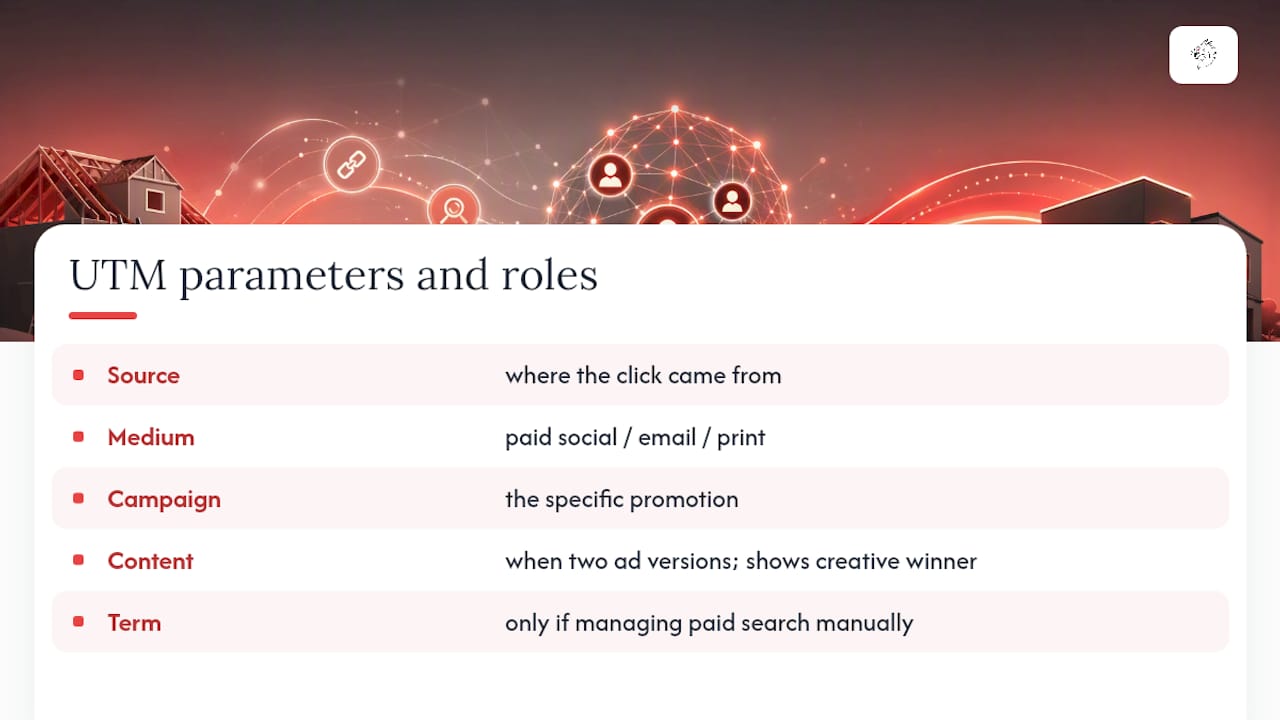
That's `utm_source` (where the click came from), `utm_medium` (paid social, email, print), and `utm_campaign` (the specific promotion). Add `utm_content` when you're running two versions of the same ad and need to know which creative won. Add `utm_term` only if you're managing paid search keywords manually, which most contractors leave to Google Ads' own auto-tagging anyway.
For one-off links, use Google's Campaign URL Builder. It's free, and it forces you to fill in every field correctly. If your team generates dozens of links a month, a shared workspace like UTM.io keeps everyone using the same naming rules instead of inventing their own.
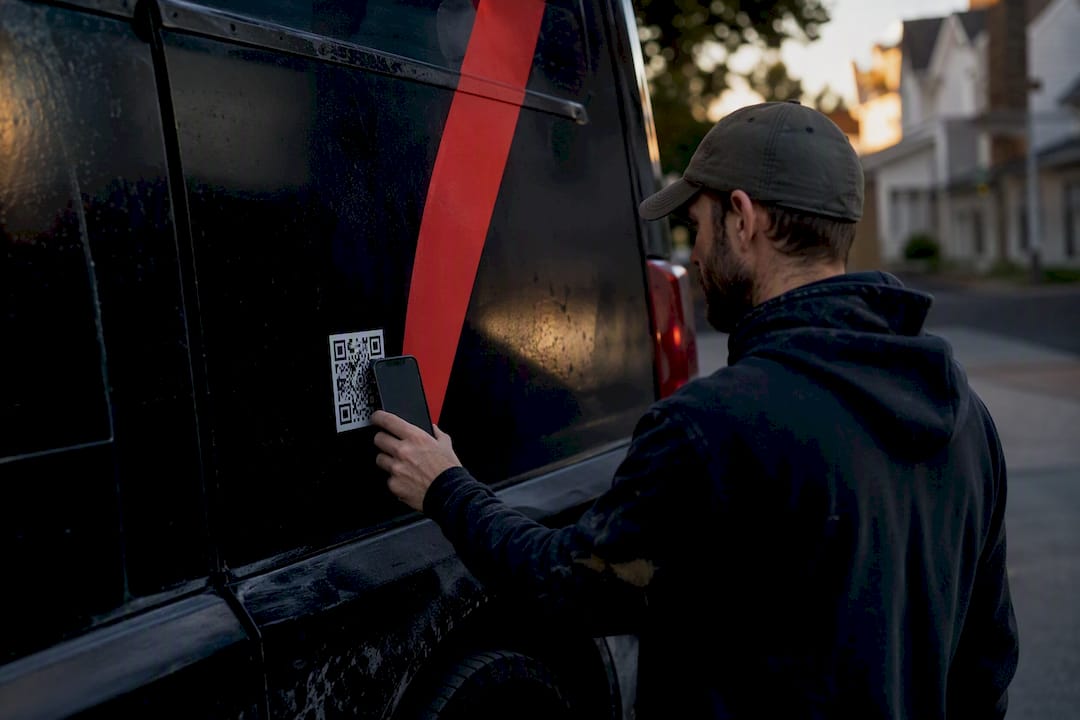
For postcards, truck wraps, or yard signs, a full UTM string is ugly and unreadable. Run it through a link shortener that redirects to your tagged URL, so the QR code stays clean while the tracking stays intact.
Pro Tip: Bookmark your UTM builder and never hand-type a tagged URL from memory. One missing hyphen splits your data into two different "campaigns" in GA4 without you noticing for months.
Where Do You Actually Need to Add UTM Codes?
Every channel that isn't Google Ads needs a UTM tag, full stop. Here's the breakdown by platform:
- —Google Ads: Keep auto-tagging (GCLID) switched on for accurate conversion data, but still apply UTMs if you want to compare Google Ads performance side by side with other channels in one report.
- —Facebook and Instagram (Meta): Always tag these manually. Use `utm_content` to split-test two ad creatives targeting the same audience.
- —Email: Most platforms like Mailchimp or Constant Contact build UTMs into their own link-tracking settings, so turn that feature on before you send.
- —Google Business Profile: Tag the website link in your profile and any GBP posts. Otherwise, all that traffic dumps into "direct" and vanishes from your reports.
- —Print, direct mail, and QR codes: Route every physical piece through a tagged redirect URL or a dedicated landing page built for that specific mailer.
Miss one of these and you're left with a hole in your data that looks suspiciously like a channel that "isn't working," when in fact it's a channel you just never tracked. Vaultio's approach to Google Ads management for contractors builds this tagging discipline in from day one instead of patching it in later.
How Do You Keep UTM Data Attached to a Lead All the Way to the Job?
This is where most contractors lose the thread. A homeowner clicks your Facebook ad on Monday, forgets about it, then finds you again through a Google search on Thursday and fills out your form. If you're not persisting that first click, your CRM credits "Google organic" for a lead Facebook actually generated.
- —Hidden form fields read the `utm_*` parameters from the URL and quietly pass them into your CRM the moment someone submits.
- —Cookies or localStorage store that first-touch UTM data so it survives the second and third visit, not just the last one.
- —Call tracking or DNI (dynamic number insertion) assigns a unique phone number per campaign, so calls get the same attribution as clicks.
- —Webhooks, Zapier, or native integrations push captured UTM fields straight into your CRM without manual entry.
- —Field mapping matters: keep `first_source`, `first_campaign`, `last_source`, and `last_campaign` all visible on the job record, not buried in a hidden tab nobody checks.
Quality call tracking typically runs a modest monthly fee (https://pipelineon.com/blog/data-source-attribution-techniques/), which is a rounding error next to what a single misattributed campaign costs you in wasted ad spend. That's the whole stack: not expensive, just disciplined.
How Do You Verify Your Tracking Is Actually Working?
Set up without verification is just a guess wearing a spreadsheet. Confirm every piece works before you trust a single report.
- 1.Click your own tagged link and watch GA4's Realtime report for the correct source, medium, and campaign to appear.
- 2.Go to Reports, then Acquisition, then Traffic acquisition, and add "Session campaign" as a dimension to see performance by tag.
- 3.Cross-check GA4 sessions against CRM leads by matching timestamps and form submission events, including logged calls from DNI numbers.
- 4.Track three numbers monthly: leads by campaign, cost per lead, and revenue tied to the first-touch campaign.
- 5.Run this reconciliation on a calendar reminder, not "whenever I remember."
A CustomerFlows analysis of contractor marketing ROI confirms this doesn't require a marketing team, just a monthly habit.
Pro Tip: Before launching any new campaign, click every link yourself first. A five-minute test catches a broken redirect before it burns two weeks of ad spend.
What Naming Rules Keep Your UTM Tracking for Contractors Consistent?
Inconsistent naming is the single fastest way to wreck otherwise good data. "Facebook," "facebook," and "FB" register as three separate sources in GA4, even though they're the same channel.
- —Use all lowercase, always. GA4 treats capitalization as a different value.
- —Replace spaces with hyphens: `spring-hvac-tuneup`, not `spring hvac tuneup`.
- —Standardize your source and medium names once, then never deviate: `facebook` / `paid-social`, `google` / `cpc`, `postcard` / `print`.
Keep a shared spreadsheet with these columns: campaign name, source, medium, full tagged URL, launch date, and notes. Microsoft Excel or Google Sheets both work fine for this.
| Campaign | Source | Medium | Notes |
|---|---|---|---|
| spring-hvac-tuneup | paid-social | Two ad creatives, split by utm_content | |
| roof-inspection-postcard | postcard | QR code redirects to tagged URL | |
| gbp-spring-promo | organic-gbp | Tagged on GBP profile link |
If your crew grows past two or three people generating links, a shared naming reference like Leapify Media's UTM naming conventions guide keeps everyone consistent without a manager checking every link by hand.
What Mistakes Wreck Contractor UTM Tracking Most Often?
A few habits quietly destroy months of otherwise solid data, and they're all avoidable.
- 1.Inconsistent naming across staff or vendors, splitting one campaign into five fragmented rows in your reports.
- 2.Tagging internal links on your own site, which resets the visitor's original source and erases their true first touch.
- 3.Never persisting first-touch data, so every lead gets credited to whatever channel brought them back last, not the one that found them first.
- 4.Skipping the test click on a new QR code or redirect, only to discover three weeks later that it pointed to the wrong page.
Before any campaign goes live, run this checklist: test the link, test the form capture, test the DNI number, confirm the CRM mapping, check GA4 Realtime. If you find bad data already in the system, stop generating new broken tags immediately, fix the naming convention in your spreadsheet going forward, and don't waste time trying to retroactively fix historical rows.
Why Discipline Beats Expensive Attribution Software
Contractors don't need a $500 a month attribution platform. What actually moves the needle is boring, repeatable: ask every single lead "how did you hear about us?" at intake, and make sure that answer lands in a permanent CRM field, not a sticky note. Combine that manual habit with automated UTM tagging and you cover the gaps that pure software always misses, like word of mouth and truck sightings.
GA4, a CRM that keeps attribution fields on the job record, and basic call tracking with DNI cover the overwhelming majority of what a contractor needs to know. Vaultio builds exactly this stack for contractors who want the tracking discipline without doing the spreadsheet work themselves, because the businesses that win their market are the ones who actually know where their leads come from.
— Damian
Let Vaultio Set Up Your Tracking and Fill Your Calendar
Vaultio is the alternative to piecing this together yourself on nights and weekends. We implement the entire stack: UTM discipline across every channel, campaign tagging that matches your naming conventions, CRM mapping that keeps attribution on the job record, call tracking with DNI, and AI-powered lead response that answers new inquiries within seconds instead of hours.

The result isn't just cleaner reports. It's 10 to 15 extra booked jobs a month, backed by tracking data that proves exactly which campaigns are earning that growth, and a 30-day money-back guarantee if it doesn't. If you're ready to see which of your marketing dollars are actually working, start with a local SEO audit for your market and let Vaultio build the tracking stack behind it.
Recommended
Ready to Implement This?
We'll build your complete lead generation system in 72 hours. No contracts. 30-day money-back guarantee.