Build a Google Maps Presence That Actually Books Jobs

# Build a Google Maps Presence That Actually Books Jobs
Six moves separate electricians who dominate the Map Pack from the ones buried on page two: claim and verify your Google Business Profile, set your primary category to Electrician with real service listings, lock down your service area, upload geo-tagged photos with regular Google Posts, collect reviews that name the job and the neighborhood, and track calls against GBP Insights. Skip any one of these and you're leaving booked jobs for a competitor to grab.
- —Claim and verify your Google Business Profile before touching anything else
- —Set primary category to Electrician, then add specific service listings (panel upgrades, EV chargers, emergency calls)
- —Configure your service area and confirm NAP consistency across every directory
- —Upload geo-captioned photos and post to Google Posts on a schedule
- —Collect detailed reviews that mention the service and the town, then respond to every one
- —Turn on GBP Insights and pair it with call tracking so you know what's actually working
Pro Tip: Businesses with photos on their profile get roughly 42% more direction requests than profiles without them. That single stat is why "I'll add photos later" costs you calls every week you wait.
Key Takeaways
Electricians who claim and verify their profile, list specific services, and maintain a steady rhythm of photos, posts, and detailed reviews consistently outrank competitors who set up their listing once and walk away.
| Point | Details |
|---|---|
| Claim before you build | Search Maps first to avoid duplicates, then verify ownership through postcard, phone, or instant verification. |
| Categories carry real weight | Set Electrician as primary, add EV charging or emergency categories only if you genuinely offer that work. |
| Photos drive direction requests | Profiles with photos see roughly 42% more direction requests than blank listings. |
| Review specificity beats volume | Reviews naming the service, neighborhood, and permit status improve local relevance more than generic praise. |
| Measurement closes the loop | Pair GBP Insights with call tracking monthly to know which lever to pull next. |
| Managed maintenance compounds | Vaultio pairs ongoing GBP upkeep with fast lead response to convert visibility into 10 to 15 extra booked jobs monthly. |
Table of Contents
- —How Do You Build an Electrician Google Maps Presence From Scratch?
- —Which Categories and Service Listings Rank Electricians Higher?
- —What Photos and Posts Actually Move the Map Pack Needle?
- —How Do You Get Reviews That Actually Improve Your Ranking?
- —How Should Electricians Set Their Google Maps Service Area?
- —What Website Changes Support Your Google Maps Ranking?
- —Which Metrics Actually Tell You Your Maps Strategy Is Working?
- —What Should Your First 90 Days on Google Maps Look Like?
- —Why Treating Your Listing Like a Receptionist Changes Everything
- —A Faster Path to Booked Jobs for Busy Electricians
- —Sources
How Do You Build an Electrician Google Maps Presence From Scratch?
Building a Google Maps presence starts with confirming you don't already have a duplicate listing sitting somewhere unclaimed. Search Google Maps using your business name and city before creating anything new. If a listing already exists, that unclaimed pin might be quietly siphoning calls that should be landing on your phone.
Here's the sequence that avoids the common traps:
- 1.Search first. Type your business name plus your primary city into Google Maps and Google Search. If a profile appears, claim it instead of creating a duplicate. Google flags and often suspends duplicate listings, which costs you weeks of visibility right when you need it.
- 2.Choose your verification method. Google offers postcard verification (typically five to seven business days), phone verification for eligible businesses (same day), and instant verification if you're already verified with Google Search Console. If your postcard doesn't arrive within two weeks, request a new one instead of waiting indefinitely.
- 3.Fill every field the moment you're verified. Business hours, an appointment booking URL, messaging settings, and license or insurance attributes should all go in during your first session, not "sometime this week."
- 4.Match your legal name exactly. Your GBP business name has to mirror your license and incorporation documents. Adding "24/7 Emergency" or "Best Electrician" to your business name is a fast track to a suspension review, according to Google's own local search guidance.
The Google Business Profile management portal walks through each of these steps, and it's worth bookmarking since Google updates verification options periodically. A profile that's merely claimed but not completed is barely better than no profile at all. Google rewards completeness, and an empty "hours" field or a missing service list is a signal you're not actively maintaining the listing.
Which Categories and Service Listings Rank Electricians Higher?
Set your primary category to Electrician. That's it. Don't get clever and pick "Electrical Installation Service" or "Contractor" unless your business genuinely operates as something narrower and that broader label fits better, because the primary category carries more ranking weight than almost anything else on your profile.
Secondary categories are where you widen your net. Add:
- —EV Charging Station Installer if you install Level 2 chargers, since electricians who list EV work explicitly tend to capture that fast-growing search volume that generic "electrician" searches miss
- —Emergency Electrician if you actually run after-hours calls, not just occasionally
- —Lighting Contractor if landscape or commercial lighting is a real revenue line
- —Generator Installation if you install standby or portable systems regularly
Your service listings need technical specificity, not vague labels. "Panel upgrade" is weak. "200-amp panel upgrade with permit and inspection" tells both the searcher and Google's algorithm exactly what you do and signals licensed, verified work. Do the same for EV charger installs: specify Level 2 charger installation rather than just "EV charging."
Pro Tip: Write your business description like a résumé, not an ad. Lead with your license number and years in business, list your three or four core services, name every city you serve, and close with one direct call to action. Skip the adjectives. "Family-owned since 2014" beats "trusted, reliable, professional" every time.
What Photos and Posts Actually Move the Map Pack Needle?
Upload 5 to 20 high-quality images the day you launch: your crew on-site, marked vans, before-and-after panel shots, and permits or inspection tags where visible. A blank photo grid signals to both customers and Google that the listing is stale, and stale listings rank lower.
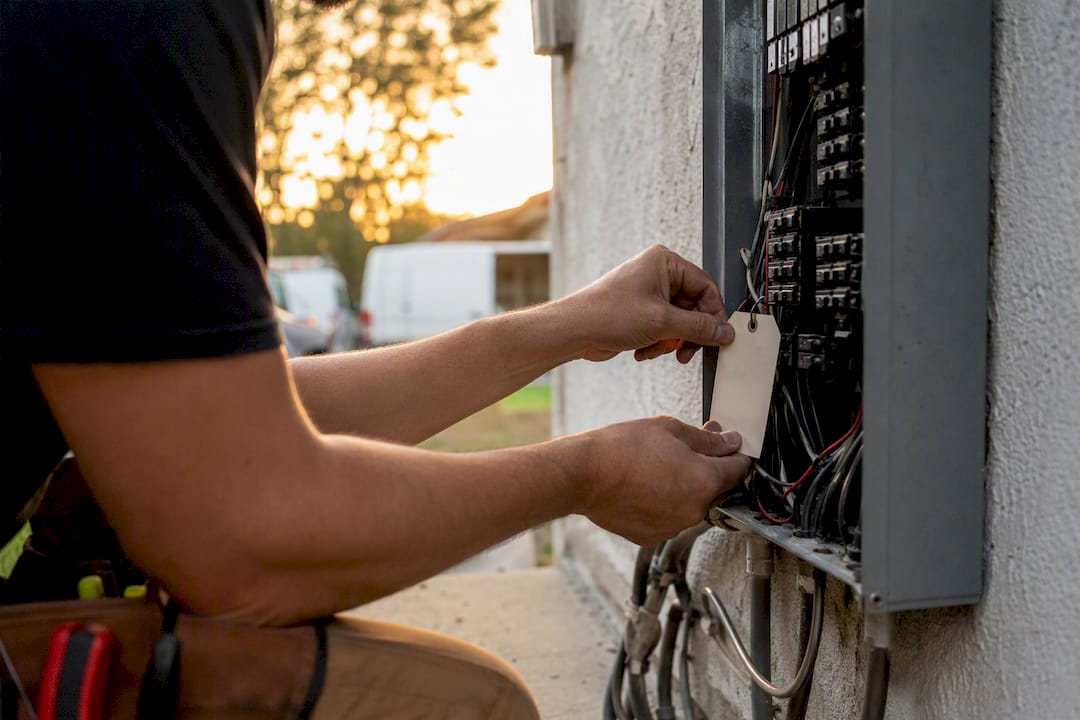
Caption every photo using a "service plus location plus detail" format. "200-amp panel upgrade, Thousand Oaks, permit pulled" reads clearly to a human scrolling Maps, and it also gives Google's AI systems the exact context they need to match your listing to a specific search. Generic captions like "Great job today!" waste the opportunity entirely.
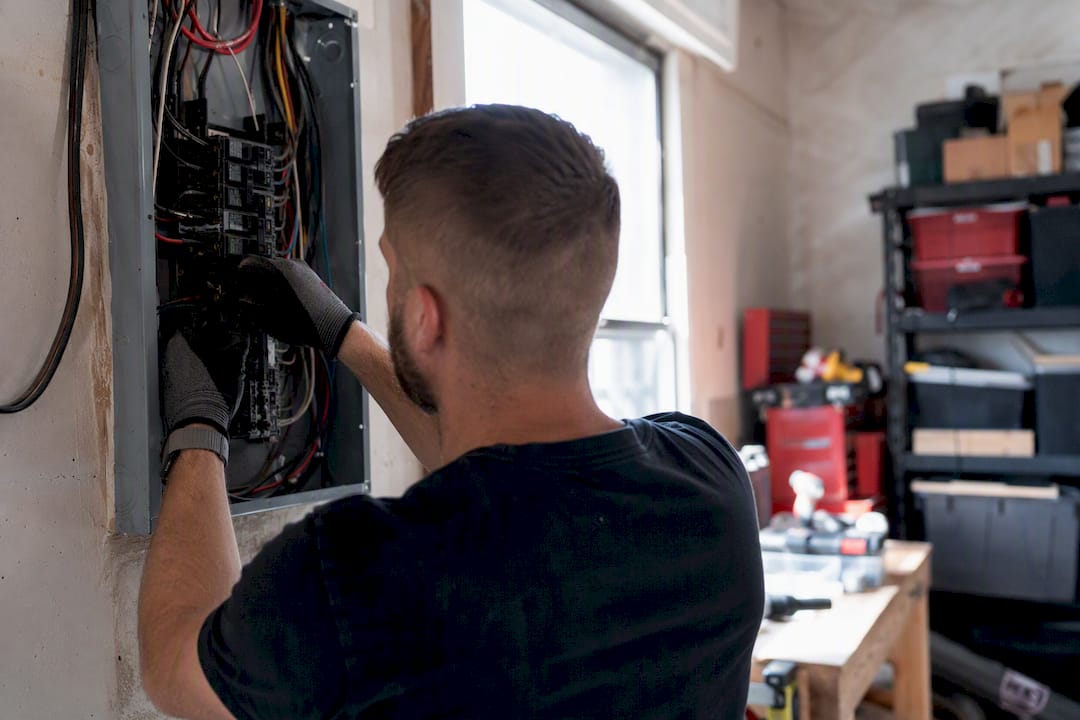
Short video helps too. Ten to thirty second clips of an install or a panel swap auto-play inside Maps and hold attention longer than a static photo grid.
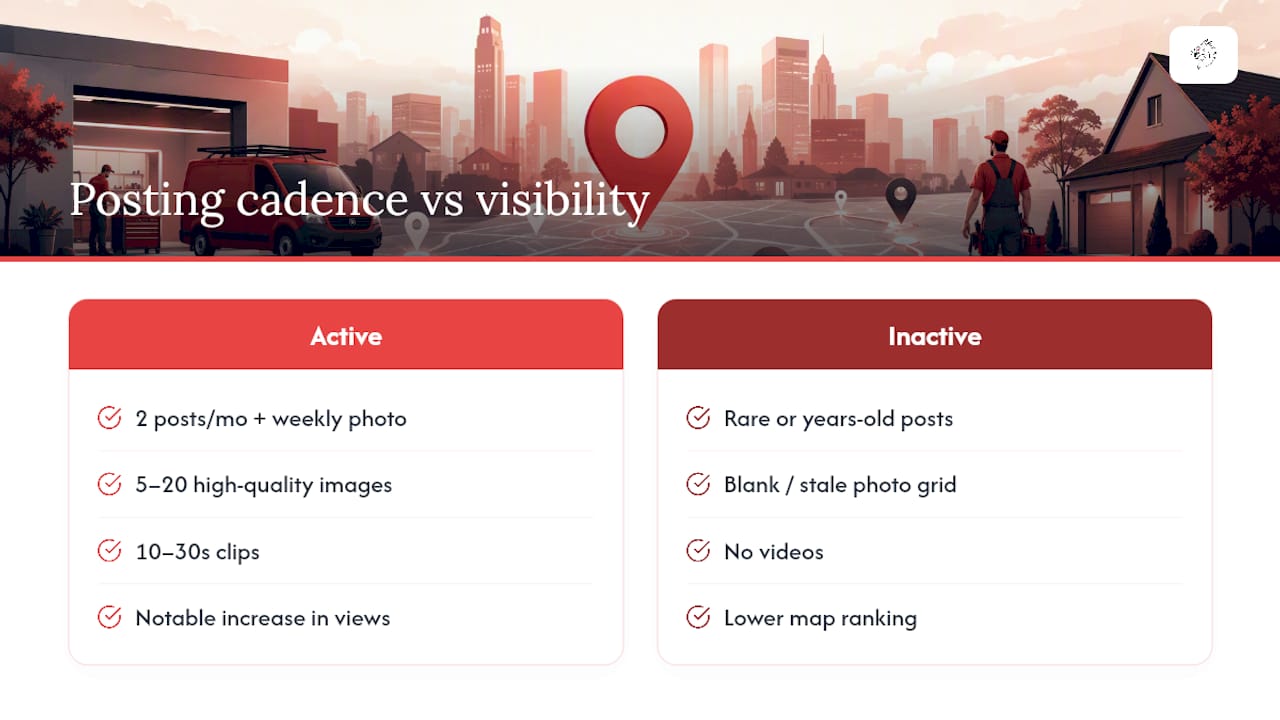
Posting cadence matters as much as content quality. Two Google Posts per month, plus a new photo weekly when you can manage it, keeps your profile signaling activity. That activity isn't cosmetic: profiles with recent posts have shown a notable increase in map views compared to profiles that go quiet for months. An electrician who posted five years ago and never touched the profile again is telling Google, and every searcher who lands there, that the business might not even still operate.
How Do You Get Reviews That Actually Improve Your Ranking?
Review count matters, but content specificity matters more. A five-star review that says "great service" does almost nothing for your Map Pack relevance. A five-star review that says "replaced our 100-amp panel in Camarillo, passed inspection same week" tells Google exactly what you do and where you do it, and that's the kind of detail Google's local ranking factors reward through relevance and prominence signals.
- 1.Ask within the first 48 hours after the job, ideally the same day while the work is still fresh. Waiting a week drops response rates significantly.
- 2.Prompt for specifics. Don't just send a review link. Ask the customer to mention the type of work (panel upgrade, EV charger, rewiring) and their neighborhood if they're comfortable doing so.
- 3.Automate the ask through SMS or email so it doesn't depend on you remembering after a twelve-hour day. A short, friendly text with a direct link outperforms a generic follow-up email.
- 4.Respond to every review within a day or two. Thank the customer by name, reference the specific service and location, and if something went wrong, address it professionally and publicly. That response is often read by the next customer more closely than the review itself.
Never offer discounts or incentives in exchange for reviews. It violates Google's policies and puts your entire profile at risk of suspension.
Pro Tip: Ask customers to mention permit or inspection status when they can. "Permit pulled" and "inspection passed" in a review signal to Google and to AI search tools that the work was licensed and verified, which is exactly the trust signal a nervous homeowner searching for an electrician wants to see before they call.
How Should Electricians Set Their Google Maps Service Area?
List only the cities and towns you genuinely serve. Overreaching your service area (claiming a 60-mile radius when you really work within 15) dilutes relevance and can actually hurt your ranking in the areas closest to you, since Google weighs distance heavily in local results.
Hide your street address only if you're a true service-area business without walk-in customers. Hiding the address when you don't need to can slow verification and occasionally confuses Google's matching algorithm, so weigh that tradeoff before flipping the switch.
- —Audit your NAP (name, address, phone) across Google, Yelp, Bing Places, Apple Maps, and BBB, since these are the directories Google cross-references most heavily
- —Fix mismatches immediately. A phone number that's correct on Google but outdated on Yelp confuses both customers and Google's trust signals
- —Keep one canonical phone number on your website that matches your GBP exactly, and if you use call tracking to measure lead sources, make sure the tracked number still resolves back to that canonical listing so Google never sees a mismatch
What Website Changes Support Your Google Maps Ranking?
Your website and your GBP should function as one system, not two disconnected assets. Build a dedicated service page for every high-value offering, panel upgrades, EV charger installs, emergency electrical work, and link each one from your GBP's website field or service descriptions.
Service-area pages come next. If you serve six towns, write six pages, each with genuinely unique content referencing local landmarks, permitting offices, or neighborhood-specific work you've done. A single "areas we serve" page listing six cities in one paragraph does almost nothing for local SEO because it gives Google no unique content to associate with each location.
- —Embed the same Google Map iframe on your contact page that matches your verified GBP location
- —Keep your website's NAP identical, character for character, to what's listed on Google
- —Add basic LocalBusiness schema markup so search engines can parse your service area, hours, and license number programmatically
- —Surface your license number and insurance status directly on your site, not just buried in a footer
This kind of pairing is what turns a good GBP into a dominant one: service pages and service-area pages capture long-tail, high-intent searches that the Map Pack alone won't show you.
Which Metrics Actually Tell You Your Maps Strategy Is Working?
Open GBP Insights monthly and track four numbers: discovery searches versus direct searches, phone calls, direction requests, and website clicks. Discovery searches (customers who found you without knowing your name) tell you whether your categories and services are working. Direct searches tell you your brand is sticking.
- 1.Set up call tracking through a service like CallRail, but keep your canonical business number visible on your website so Google's crawlers still match your NAP correctly, per the tracking guidance in Wordstream's Maps SEO checklist.
- 2.Run a monthly audit: check for new photos, confirm your last Google Post date, scan for unanswered reviews, verify hours haven't drifted (especially around holidays), and check for duplicate listings that may have resurfaced.
- 3.Prioritize fixes by whichever metric dropped first. If calls fell but direction requests held steady, suspect your phone number or messaging settings. If direction requests dropped, suspect your service area or a competitor's new listing nearby.
What Should Your First 90 Days on Google Maps Look Like?
Launch week is the highest-leverage week you'll get. Verify your listing, complete every service entry, upload ten photos minimum, and seed five Q&A items yourself so the profile doesn't sit blank while customers search.
- 1.Weeks 2 through 12: Add at least one new photo weekly, automate a review request after every completed job, and publish a Google Post every two weeks minimum.
- 2.Quarterly: Run a full citation sweep across Google, Yelp, Bing, Apple, and BBB, analyze your review velocity compared to the prior quarter, and spot-check what nearby competitors have added to their profiles.
- 3.Triage immediately if calls or direction requests drop for two consecutive weeks. Check for a suspended listing, a duplicate that resurfaced, or a batch of unanswered negative reviews before assuming it's just a slow season.
Why Treating Your Listing Like a Receptionist Changes Everything
Most electricians treat their Google Business Profile like a business card: set it once, forget it exists. That's backward. Your listing is closer to a full-time receptionist, it's the first interaction a nervous homeowner has with your business, and receptionists who go quiet for months don't keep their jobs.
The tactical work in this playbook, categories, photos, reviews, citations, only pays off when it's maintained on a schedule, not treated as a launch task you check off once. That's the gap Vaultio's clients close: pairing this kind of ongoing GBP maintenance with fast lead response consistently produces 10 to 15 extra booked jobs a month for contractors who'd otherwise let leads go cold waiting for a callback. Vaultio backs that with a 30-day money-back guarantee, which tells you something about how confident the approach is in practice.
If there's one thing I'd push back on in most "SEO for electricians" advice, it's the assumption that ranking alone wins the job. Ranking gets the phone to ring. What happens in the next sixty seconds after that ring decides whether you booked the job or handed it to the electrician who called back faster.
— Damian
A Faster Path to Booked Jobs for Busy Electricians
Running panel upgrades and EV charger installs all day doesn't leave much time to audit citations, write Google Posts, and chase down reviews every week. Vaultio handles the entire Google Maps and local SEO workload for electricians who'd rather be on a jobsite than inside their GBP dashboard, combining profile optimization, ongoing local SEO, and AI-driven lead response so every call gets engaged within seconds instead of sitting in voicemail.

The outcome contractors see is a steady 10 to 15 extra jobs a month, faster lead conversion because someone (or something) is always responding, and more market share in whatever city you operate from. Vaultio backs the engagement with a 30-day money-back guarantee, so there's no long-term risk in testing whether managed GBP and local SEO actually outperforms doing it yourself in the margins of a workday.
Getting started is simple: Vaultio runs an audit of your current listing and local search visibility, builds a proposal specific to your service area, and then manages the rollout end to end. If you're based near the Central Coast, check out the San Luis Obispo SEO services page to see what a managed local SEO package looks like for a contractor in your region and request your audit.
Sources
- —Get Listed on Google - Google Business Profile
- —How Google determines local search ranking
- —Google Business Profile Playbook For Electricians | Muzes AI
Recommended
Ready to Implement This?
We'll build your complete lead generation system in 72 hours. No contracts. 30-day money-back guarantee.