Service Area Pages That Actually Convert for Home Service Companies
# Service Area Pages That Actually Convert for Home Service Companies
A service area page (SAP) is a dedicated page that tells Google exactly which cities and neighborhoods you serve, even though you don't have a storefront there. For plumbers, HVAC techs, electricians, and cleaning companies, SAPs are the fastest legitimate way to rank for "[service] in [city]" searches across every town your trucks actually reach. Build them right, and they turn into a lead machine. Build them wrong, and Google flags them as junk.
*
TL;DR: - Creating unique and locally specific content for each SAP, including local problems and neighborhood details, is crucial to avoid Google penalties for duplicate pages. - Proper internal linking and accessible crawl paths are essential to ensure Google indexes your SAPs and improves their visibility in relevant city searches. - Incorporating city-specific reviews, photos, and case studies directly related to each service area significantly boosts both ranking potential and conversion rates. - Use accurate schema markup and Google Business Profile settings to reflect the actual service zones, avoiding address hiding unless no storefront exists. - Prioritize building SAPs for your top revenue cities first, adding value with real local detail, and tracking performance through call data and search impressions.
*
Table of Contents
- —What Are Service Area Pages?
- —Service Area Pages vs. Location Pages: How to Choose
- —Why Service Area Pages Matter for Local SEO and Conversions
- —How to Structure a High-Quality Service Area Page
- —Common Mistakes and Doorway-Page Risks
- —Technical Signals: Schema, GBP, and Map Embeds
- —Indexation and Internal Linking Without Diluting Site Quality
- —Examples and Micro Case Prompts for Every City Page
- —What Actually Moves Rankings and Leads on SAPs
- —Sources
What Are Service Area Pages?
A service area page is a standalone URL built to rank for a specific city or region you serve, without a physical office in that city. Think `/emergency-plumbing-thousand-oaks` or a title tag like "24/7 Emergency Plumbing in Thousand Oaks, CA." Search Engine Land describes SAPs as pages that promote the locations a business travels to serve, and they can earn organic rankings for local intent even without a storefront on that street.
These pages exist because of how people actually search. Someone with a burst pipe doesn't type "plumbing company." They type "emergency plumber Ventura" or "AC repair near me tonight." SAPs match that intent directly, city by city, instead of forcing every search into one generic homepage that only ranks well in your home base.
Mobile and home-based service businesses lean on SAPs the hardest: roofers, garage door repair crews, pest control operators, landscapers, mobile detailers, locksmiths. If your van shows up at the customer's house rather than the other way around, you're exactly who this page type was built for.
You'll also see SAPs called "city pages," "geo pages," "local service pages," or "service coverage area pages" depending on which agency or SEO tool you're using. Same concept, different label. The industry hasn't settled on one term, but "service area pages" and "SAPs" are the phrasing you'll see most in Google's own guidance and in serious local SEO discussions, so that's the vocabulary worth adopting for your team.
Service Area Pages vs. Location Pages: How to Choose
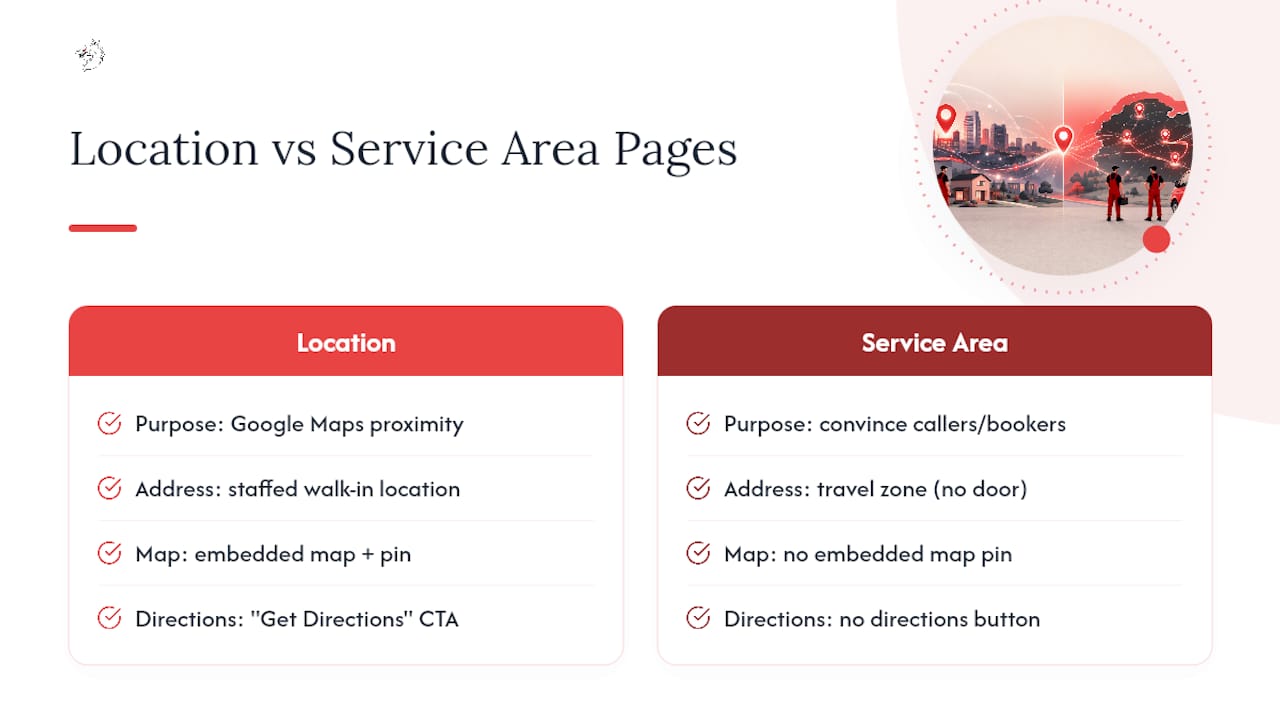
A location page represents a real, staffed, walk-in address. It's built for Google Maps proximity, an embedded map pointing to your actual door, and CTAs like "Get Directions" or "Visit Our Showroom." A service area page represents a zone you travel to, and it's built for a different goal: convincing someone in that zone to call or book, not to drive to you.
Here's the decision rule. If customers ever visit that address in person, treat it as a location page and list it on your Google Business Profile as a physical location. If nobody visits, it's a service area, full stop. Mislabeling this is one of the more common mistakes contractors make: listing a residential garage as a "location" to game local rankings violates Google's guidelines and can get your profile suspended.
Hybrid businesses get a hybrid model. A plumbing company with one storefront that also drives to 20 surrounding towns needs one location page for the shop and separate SAPs for every outlying city. The location page gets the map pin and "visit us" language. The SAPs get service radius language, phone and text CTAs, and zero directions button. Don't try to force one page to do both jobs. It confuses the reader and confuses Google's algorithm about what kind of business you actually are.
Why Service Area Pages Matter for Local SEO and Conversions
One well-optimized SAP can put you in front of every "emergency [service] near me" search across a dozen towns you already drive to anyway. That's the entire pitch: you're already serving these areas, so you might as well rank for them instead of losing that traffic to a competitor with a page and you with none.
Realistically, SAPs won't outrank a competitor's physical storefront location page for hyper-local "near me" queries tied to Google Maps proximity. What they will do is capture the broader city-name searches, the ones where intent is clear but the searcher isn't standing on the competitor's block. That's a large slice of home-service search volume, and it's the slice most contractors leave completely uncontested.
Ranking is only half the job. The other half is what happens when someone lands on the page. A SAP that ranks but doesn't convert is a wasted asset. The conversion elements that actually move the needle: a click-to-call phone number pinned above the fold, a text-to-book option for people who hate calling, a short booking form with two or three fields, and reviews specific to that city if you have them. Search Engine Land recommends linking your Google Business Profile and directory listings straight to the relevant SAP rather than your homepage, which shortens the path from "found you" to "booked you" by one click every single time.
A homeowner searching "water heater replacement Camarillo" at 9 PM wants two things fast: proof you serve Camarillo and a way to reach a real person tonight. A page that delivers both in the first screen converts. A page that buries the phone number under three paragraphs of company history does not.
How to Structure a High-Quality Service Area Page
Every SAP should follow a repeatable skeleton, but "repeatable" doesn't mean "copy-paste with the city name swapped." That distinction is the entire difference between a page that ranks and one Google quietly ignores.
Start with the technical basics:
- —URL: keep it short and readable, like `/hvac-repair-camarillo`, not a nested mess of folders.
- —Title tag: lead with the service, then the city: "HVAC Repair in Camarillo, CA | 24/7 Same-Day Service."
- —Meta description: state the service, the city, and one differentiator (licensed, same-day, 5-star rated) in under 155 characters.
- —H1: match the title tag's intent closely, written as a full phrase a human would say out loud.
The body content is where most SAPs fall apart. Don't write 300 words of generic filler about "quality service" and "customer satisfaction" with the city name dropped in twice. Write about the actual local problem: hard water damaging pipes in that specific region, older housing stock in that neighborhood needing panel upgrades, or seasonal AC strain during that area's hottest months. Local specificity is what separates a real SAP from a doorway page.
Conversion elements belong high on the page, not buried at the bottom:
- —Click-to-call number in the header, visible without scrolling.
- —Text-to-book link for mobile visitors who won't dial.
- —A booking widget or short quote form, ideally the kind covered in guidance on website design for home service contractors.
- —Reviews filtered or written specifically about jobs in that city, if you can pull them.
- —Two or three photos from actual jobs completed in that service area, not stock photography.
Trust builders round out the page: your license number, any manufacturer certifications, your guarantee terms, and a sentence naming the neighborhoods within that city you cover most often. That last detail sounds small. It's one of the easiest ways to make a page feel written for a real place instead of generated by a spreadsheet.
For uniqueness, pull in a one-paragraph case study from a completed job in that city, and link internally to a related trade guide, such as local SEO for HVAC companies, so the page connects to the rest of your site instead of sitting isolated.
Add schema markup and a map embed once the page has enough unique content to justify it, not before. A beautifully marked-up thin page is still a thin page.
Pro Tip: Write the local-problem paragraph first, before you touch the template. If you can't come up with one specific, true sentence about that city's homes, weather, or infrastructure, you're not ready to publish that page yet.
Common Mistakes and Doorway-Page Risks
The single fastest way to tank a SAP campaign is publishing 40 pages that read identically except for the city name. Google calls this a doorway page pattern, and it can suppress rankings site-wide, not just on the offending pages. BrightLocal's guidance is blunt about this: if you can't find unique content for each city, you should reconsider publishing at that scale at all.
Watch for over-coverage too. Listing 60 cities when your crew's actual drive-time radius covers 12 is a credibility problem waiting to surface, either through a bad review after a no-show or a Google Business Profile suspension for service-area inaccuracy. A reasonable rule: if it's more than a 60 to 90 minute drive, that city probably belongs on a "regions we're expanding into" list, not a full SAP.
Another common failure: hiding your service areas behind a JavaScript-heavy store locator widget that search crawlers can't read. If Googlebot can't find a crawlable, linked path to each city, the page might as well not exist. Run a quick audit: search `site:yourdomain.com` plus a city name, and if the page doesn't show up, check your internal linking and sitemap immediately.
Technical Signals: Schema, GBP, and Map Embeds
Structured data and your Google Business Profile settings do two different jobs. Schema tells search engines what's on the page. GBP tells Google Maps and local search where you actually operate.
For schema, use `LocalBusiness` or the more specific `Service` type from Schema, and populate these properties on every SAP:
- —`name`, `telephone`, and `areaServed` for the specific city or region.
- —`serviceType` naming the exact service (emergency plumbing, duct cleaning, etc.).
- —`aggregateRating` if you have enough reviews to make it meaningful.
On the GBP side, Google's own support documentation explains that service-area businesses can hide their street address and instead define coverage by city, postal code, or radius. Hide your address only if customers genuinely never visit it. If you run any storefront traffic at all, keep the address visible; hiding it when you shouldn't is a common cause of GBP suspensions. Google's service-area setup instructions recommend keeping listed areas accurate rather than padding them for reach.
For map embeds, show a shaded service radius or boundary rather than a pin at a fake address, and always link the embed to a crawlable page, never a JavaScript widget alone.
Indexation and Internal Linking Without Diluting Site Quality
Getting SAPs indexed depends entirely on whether Google can find a clean, linked path to them. Put your top service-area cities in main navigation or a footer menu, build a simple HTML sitemap listing every SAP, and link to relevant SAPs contextually from your blog and service pages, not just from a buried dropdown.
Prioritize which cities get pages first based on real numbers: past job volume, call tracking data, and drive-time proximity to your base. Search Engine Land's guidance is to build out your top revenue-driving cities first, then expand only when you have real local content to add, not before.
Scale carefully. Each new SAP should add something the last one didn't: a fresh case study, new local photos, a neighborhood-specific FAQ pulled from an actual customer call. Watch Google Search Console for impressions and click patterns by page, and cross-reference against your call-tracking numbers to confirm the pages that rank are also the ones generating calls.
Examples and Micro Case Prompts for Every City Page
The gap between a forgettable SAP and one that ranks usually comes down to sourcing real local detail instead of guessing at it.
Ask your field crews three quick questions after a job: What was unusual about this house or building? What made this neighborhood's job different from the last one? Did the customer mention anything about the area (older pipes, HOA rules, extreme heat)? Their answers become your local-problem paragraph, almost word for word.
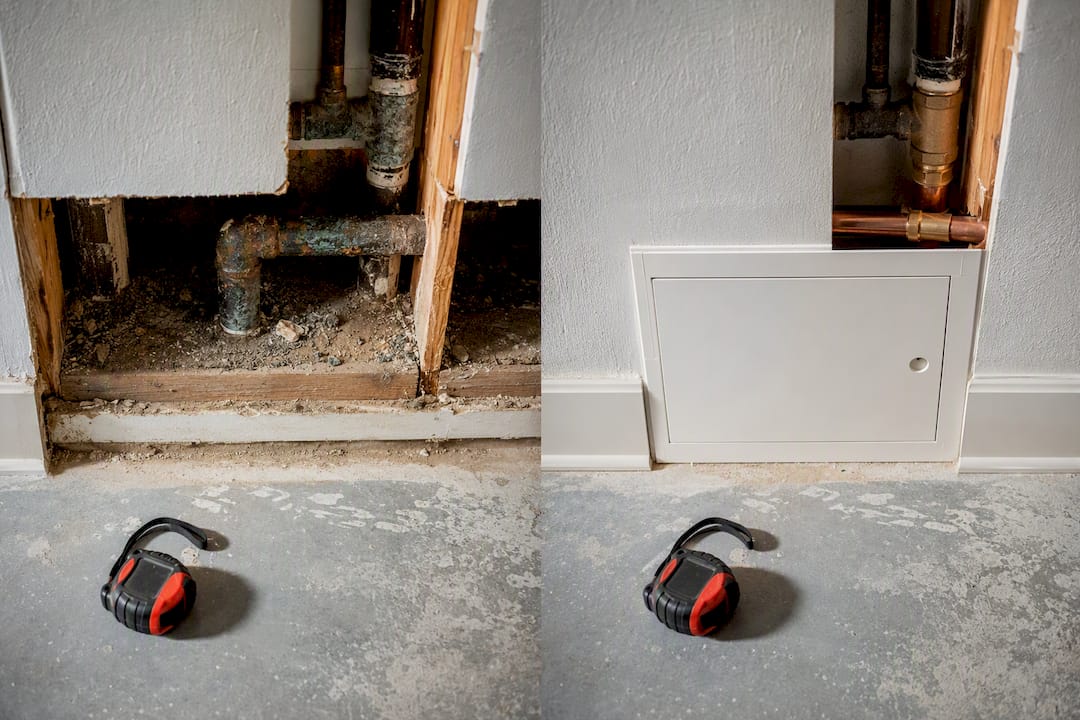
For photos, grab before-and-after shots on-site, with the technician's truck or a visible street sign if possible, and label the file names by city. For reviews, when a customer leaves a Google review, follow up asking if you can quote a line specific to their neighborhood on your site. One honest local sentence from a real customer outperforms five generic five-star badges.
What Actually Moves Rankings and Leads on SAPs
Contractors ask the same question after launching 15 near-identical SAPs: why aren't they ranking? The answer is almost always the same. Google doesn't reward volume, it rewards specificity. The SAPs that consistently move up in rankings are the ones with a genuine local detail no template could generate: a neighborhood name, a real job story, a photo with a street sign in frame.
The quickest lead-capture win most contractors skip: call tracking tied to each SAP, paired with a CTA above the fold that doesn't make someone hunt for your number. Response speed matters just as much as ranking. A page that ranks but takes 20 minutes to answer the phone still loses the job to whoever answers on the second ring.
Some providers build SAPs around that exact combination: pages engineered to rank city by city, paired with AI-driven lead response that engages inquiries promptly. If you're evaluating SEO services in your region, that pairing is worth asking any provider about directly, whether it's Vaultio or someone else.
— Damian
Sources
- —Service area pages: Boost local SEO across locations
- —How to Do Service Area Page SEO for Local Search Visibility
- —Manage your service areas for service-area & hybrid businesses
- —Schema
Recommended
Ready to Implement This?
Your new site live within 8 days. No contracts. Top 3 on Google in 3 months, or we work free until you are.